Cut bookkeeping time by 75%, tofu learns your books forever.
AI bookkeeper that knows your suppliers, accounts and tax codes. Send invoices, receipts and bank statements. It codes every line the way you did and never sleeps.
Works seamlessly with:



.png)




Trusted by 5,000+ companies across 50 countries, including 7 of the Top 10 Global Networks.





















See it in action
How bookkeepers like you use Tofu
Among all the software we have been using, it's the best that I have. I don't know if there is something on the market even better than Tofu. But I'm not looking for it.

"Now with Tofu, because it's line by line, my P&L at the end of the month is a lot more accurate. Which is fantastic."

Tofu is very simple. It's very easy to navigate and use. It's beginner friendly. Even without a finance or accounting background, you can use it. It's effective, it's efficient, and it's really time saving.

"It's the extraction, and the way that it remembers what it's supposed to be doing with everything. Somebody actually remembers what you tell it to do."
"I was totally mind blown. I knew it was going to be a game changer. I told all my managers: literally all the clients, small, large, we could all transition into Tofu. It's probably the only software right now that caters for Xero Ledger subscriptions."

"I allocated three people for these three clients before. With tofu, one person can handle these three clients."
.png)
"I was already dreaming of a tool that could capture receipt data automatically. tofu delivered exactly that even for Philippine BIR compliance. I can totally advocate."

"Tofu is magic in that I can pull in all my invoices, slips, and heaven knows what else is thrown at me, extract the information, edit the invoices, and Tofu remembers all that!

"tofu takes that one scan and it individualizes it and it goes into your accounting system. Whereas a transaction will take you a minute, minute and a half, it takes seconds."
.png)
"tofu is a game-changer because of its zero-configuration AI.
It has effectively turned our junior staff from data-entry clerks into data reviewers."

"It saves our team more than 50% of our bookkeeping time. Definitely worth the investment. Once you get tofu trained, you don't have to worry for the rest."

"tofu is one of the best apps I've ever come across. You upload your bank statement and it takes less than five minutes. You have no idea the joy that tofu gives me."

"I can tell tofu exactly what to pick up and how to code things, and it actually learns. The interface is clean, reviewing is quick, and I don't need to stress over screens anymore.
That's what made me stick with tofu over Dext."
.png)
“tofu is not an additional tool, it's a must-have for every accountant. Every accountant in the world needs to upgrade their skills. If they just focus on being a freelancer doing things the old way, they'll be old school."

"We were trying to push Dext for line item extraction for about two years, but nothing came out. Our fees kept increasing. It was time to look for something new."

"With tofu, they can save more time and go back on time. No need to always spend overtime just to close the bookkeeping."
"When there's a bookkeeping task, we ask ourselves: 'Can you tofu it?' If you can, please just load it in. Don't think."

"Instead of typing all day, our staff is now thinking about compliance, audits, and how to advise clients properly."

"One of the few apps which totally addresses problems faced by bookkeepers. Very practical for day to day work."

We have found tofu to be highly beneficial for our bookkeeping processes, as it significantly enhances both efficiency and overall effectiveness.

"We have been using tofu for a few months now, and we are very happy with the support provided by the team. It has significantly helped us improve both the quality and efficiency of our bookkeeping."

"I’ve recently implemented tofu for our invoice processing workflow, and it has quickly proven to be one of the most efficient automation tools we’ve added to our Xero stack.
The setup was incredibly fast, and the interface is clean, intuitive, and easy for the team to adopt."

“Before using tofu, it would take me between 3 to 4 hours to input and review a client’s invoices. With tofu, I can now complete the process in just 30 to 60 minutes, saving me a significant amount of time.”

“tofu made me a fan! An actual AI-first, automated process with hassle-free setup. One of the smartest teams behind the product. Highly recommended.”






Bookkeeping shouldn't run your life
You're paid to advise clients and not manually enter data. But chances are, you’re stuck dealing with problems like:
Manual entry is draining your time
Client sends an invoice. You type the supplier, the date, every line item one by one. Repeat 50 times a day.
"I spend 12 hours a day typing. I don't have time for my kids."
Legacy OCR that creates more work
Hours mapping chart of accounts. Writing if-then rules. And after all that? Still fixing errors and typing the line items your tool missed.
“By the time we're done mapping, we might as well just type it in.”
Real-world documents are chaos
"We were stuck using Google Translate or rejecting the client."
Banks don't connect to the ledger
“My banks don't allow direct Xero feeds.”
What used to take hours, will take just minutes
Before
You’re entering data manually and chasing missing details.
.gif)
After
You upload a document and tofu extracts, validates, and posts it for you.
Designed for how you actually work
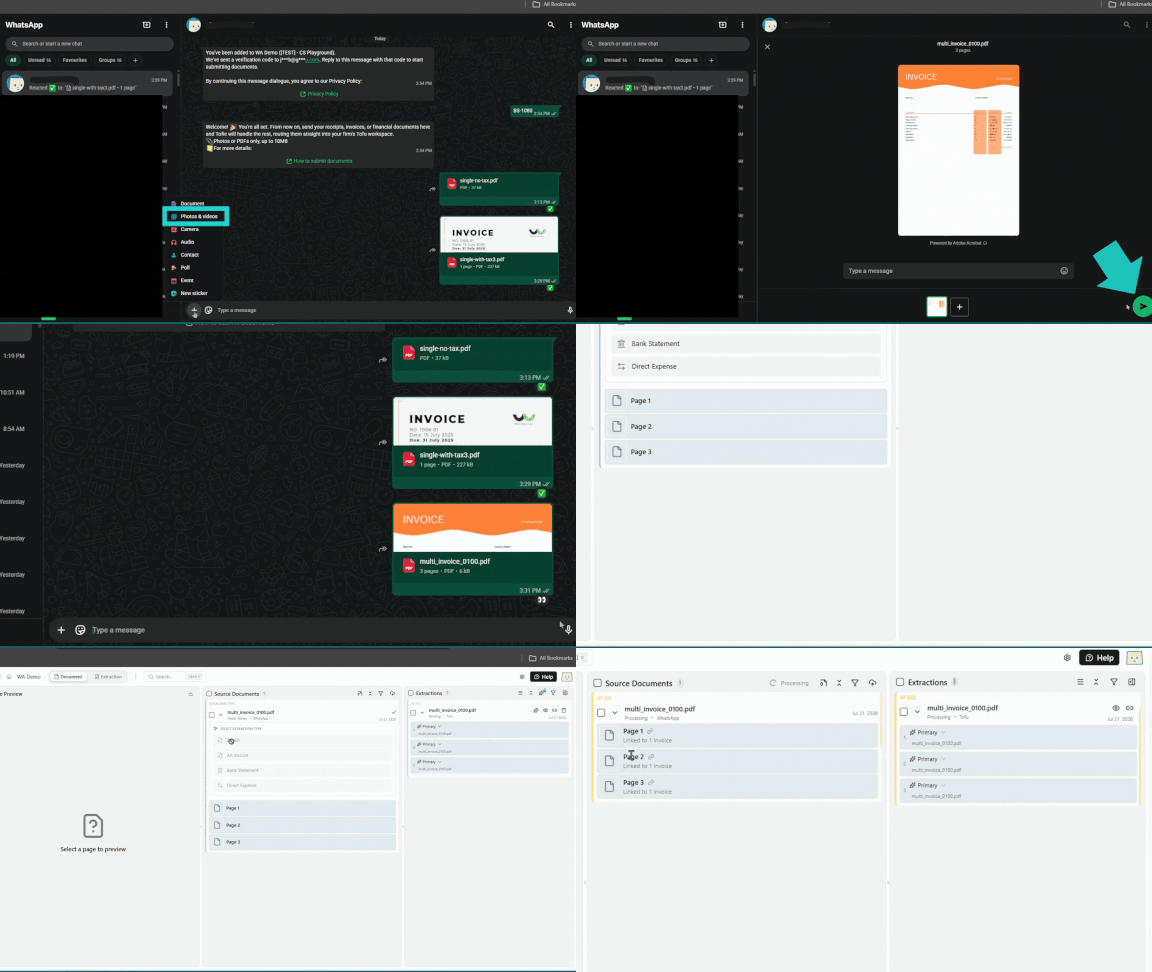
Every photo they send lands in Tofu - extracted, coded, and ready for Xero or QuickBooks.

Bank Statements to Xero
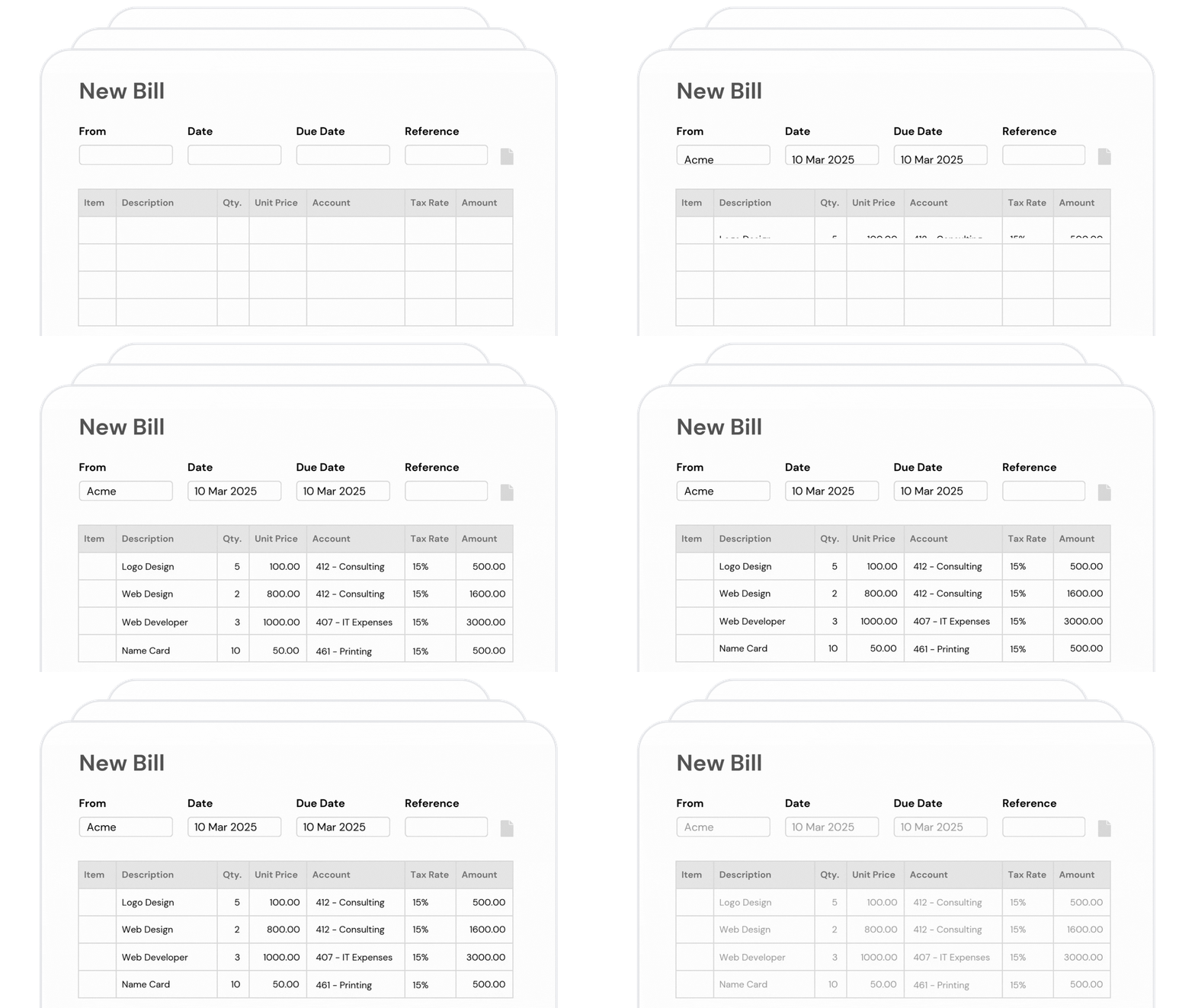
Multi-account, multi-currency, account codes, tax rates, and double-entry, extracted automatically and validated line by line. Then it posts straight into Xero, no CSV in between.
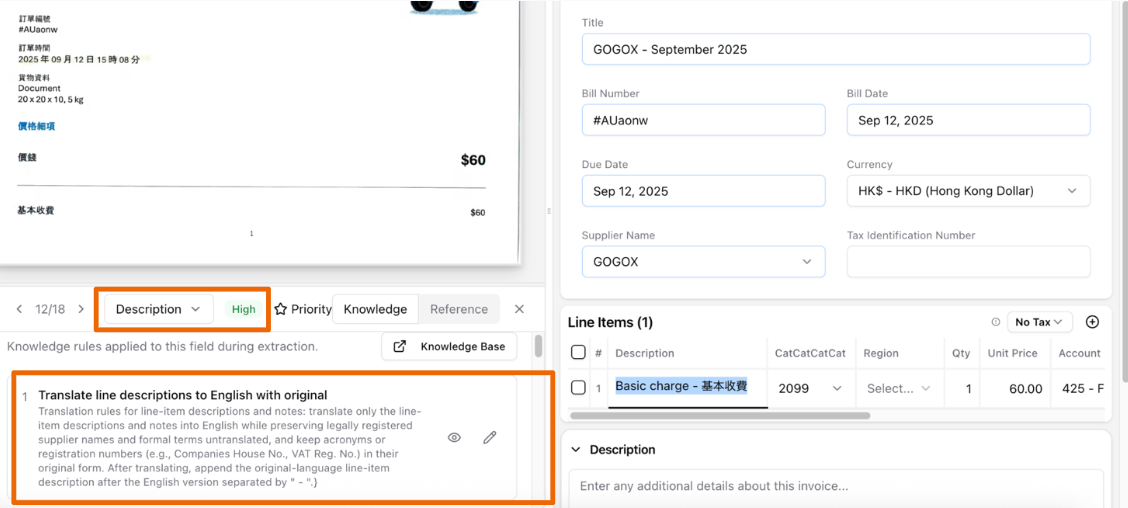
Teach It Your Rules
Every client has quirks generic OCR misses. Tell Tofu your exceptions in plain English, and it remembers forever.
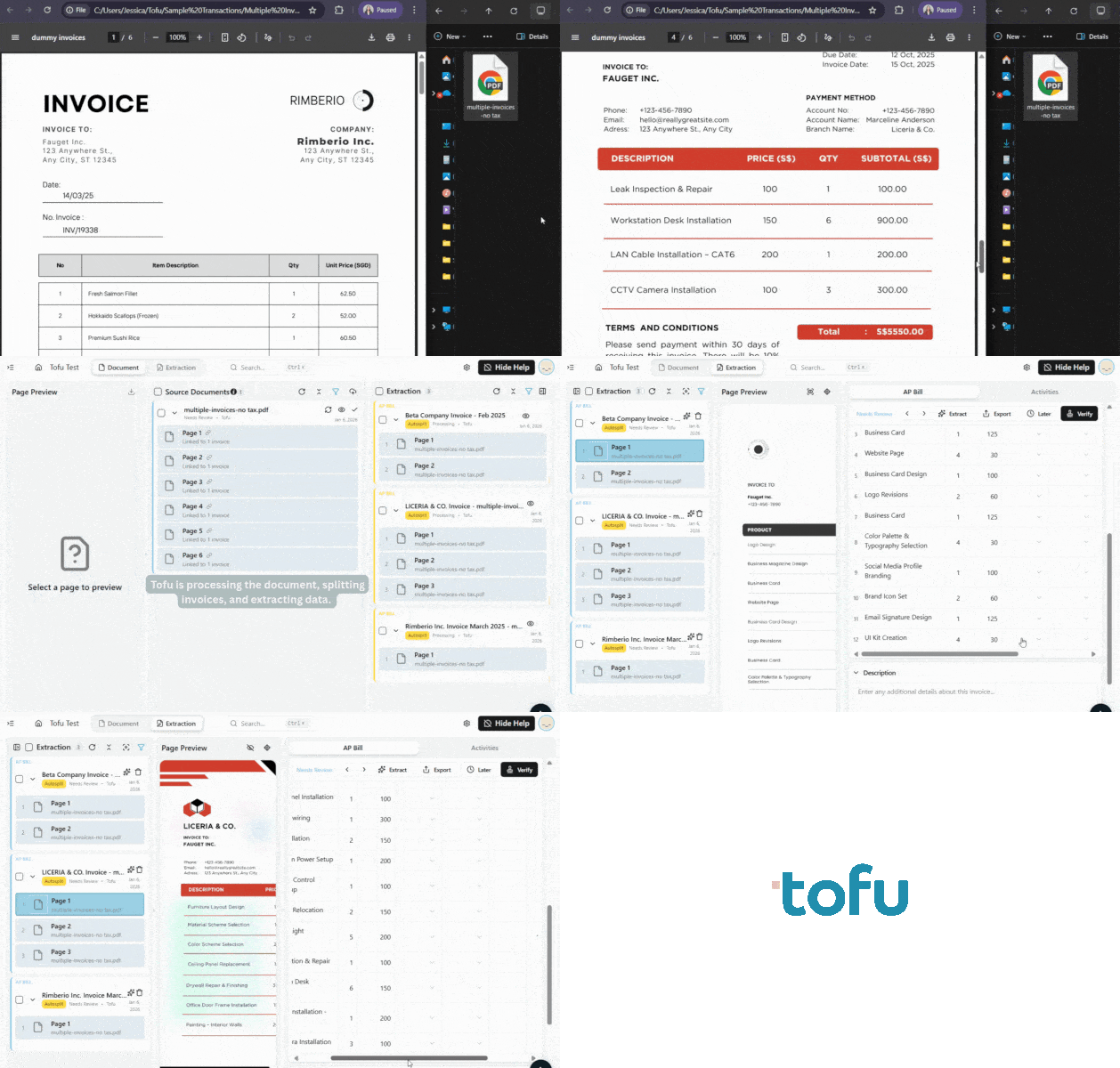
Auto-Split
Client sends a bulk PDF with invoices, receipts, and statements all jumbled together. Tofu's AI detects where each document starts and ends.
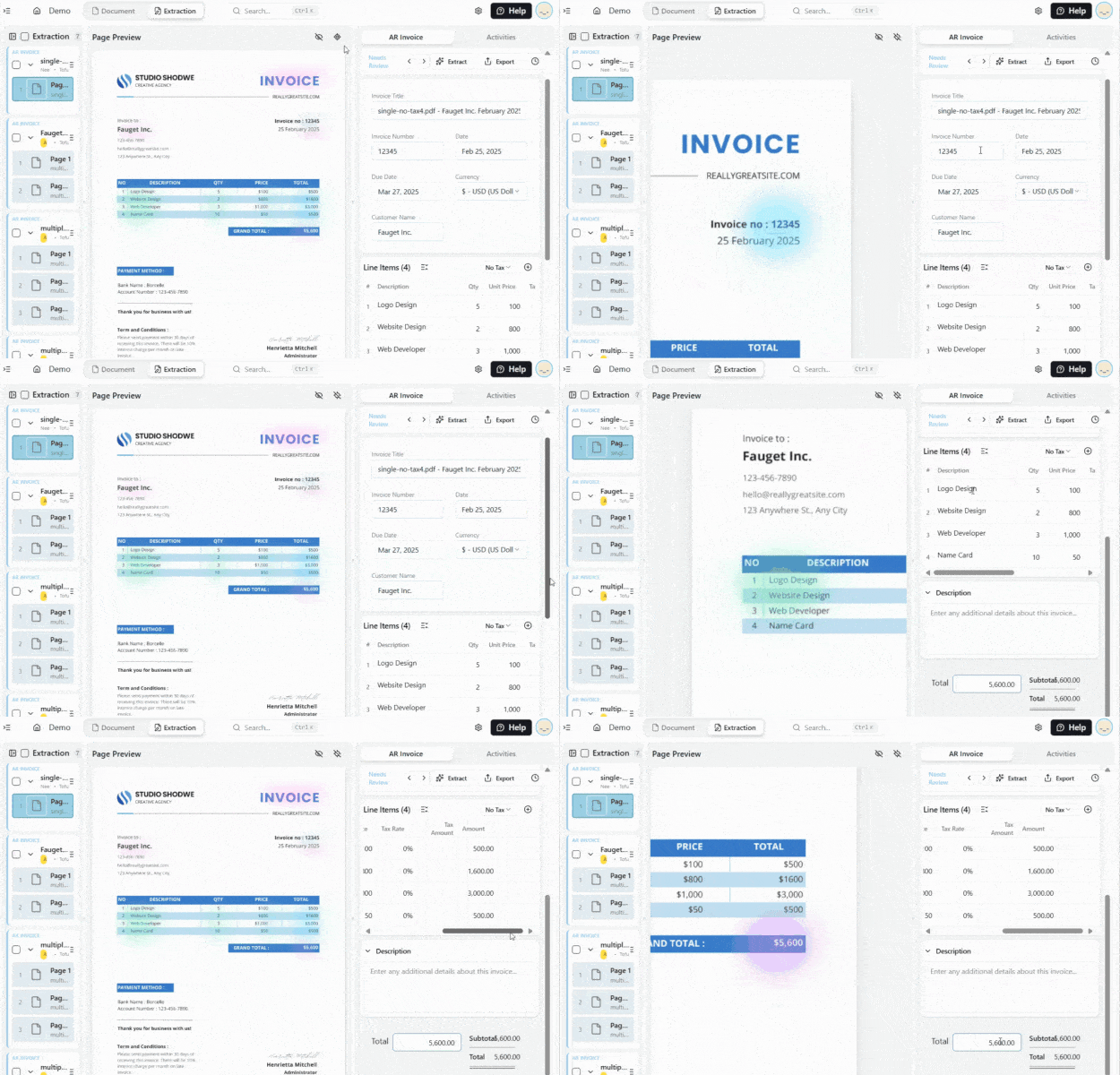
Auto-Zoom
Click on any extracted value and the document instantly zooms to show exactly where the AI found it.
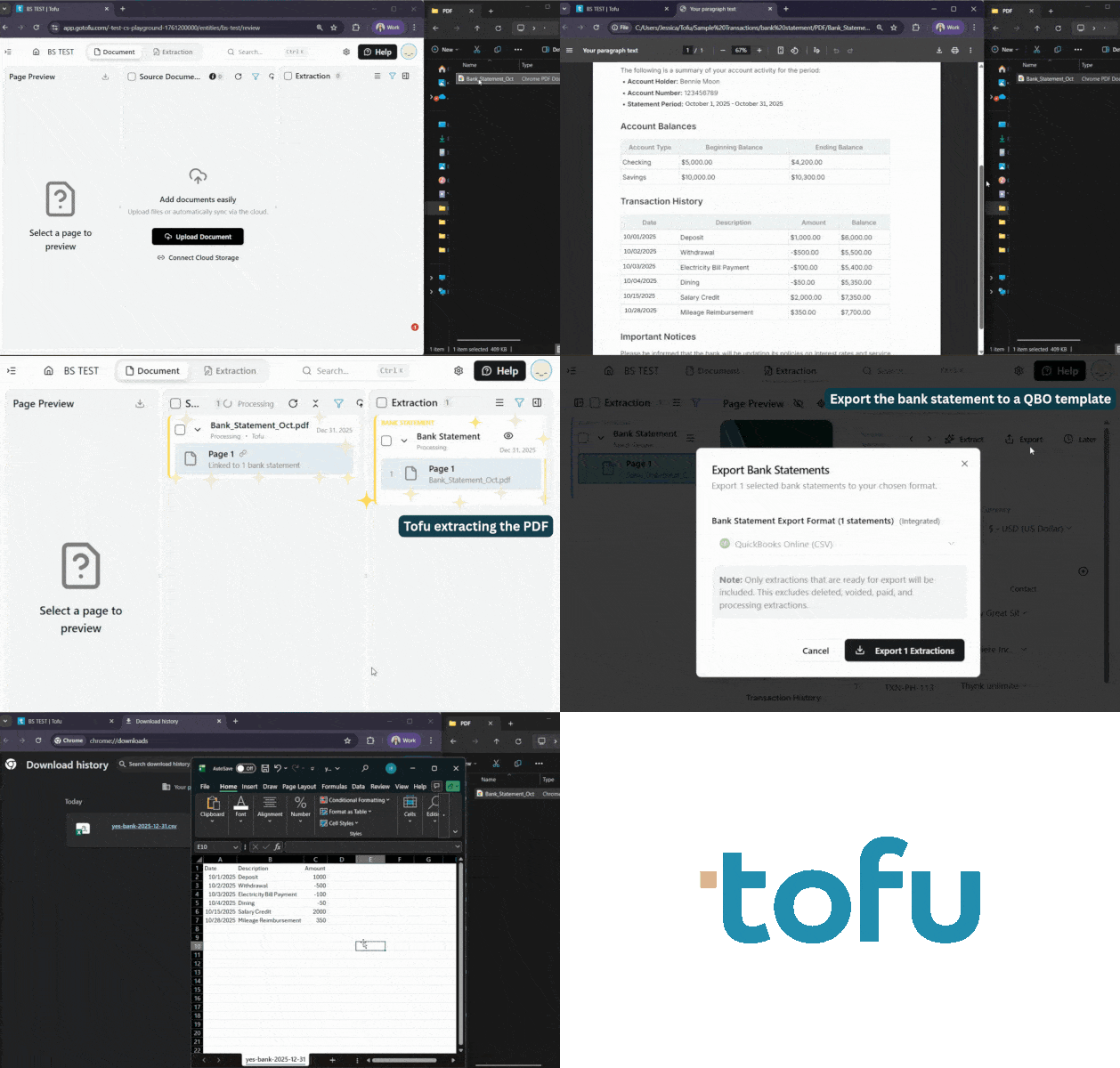
Bank Statement Extraction
Upload any PDF bank statement from any bank or country. Tofu extracts every transaction and exports to Excel, CSV, Xero, or QuickBooks.
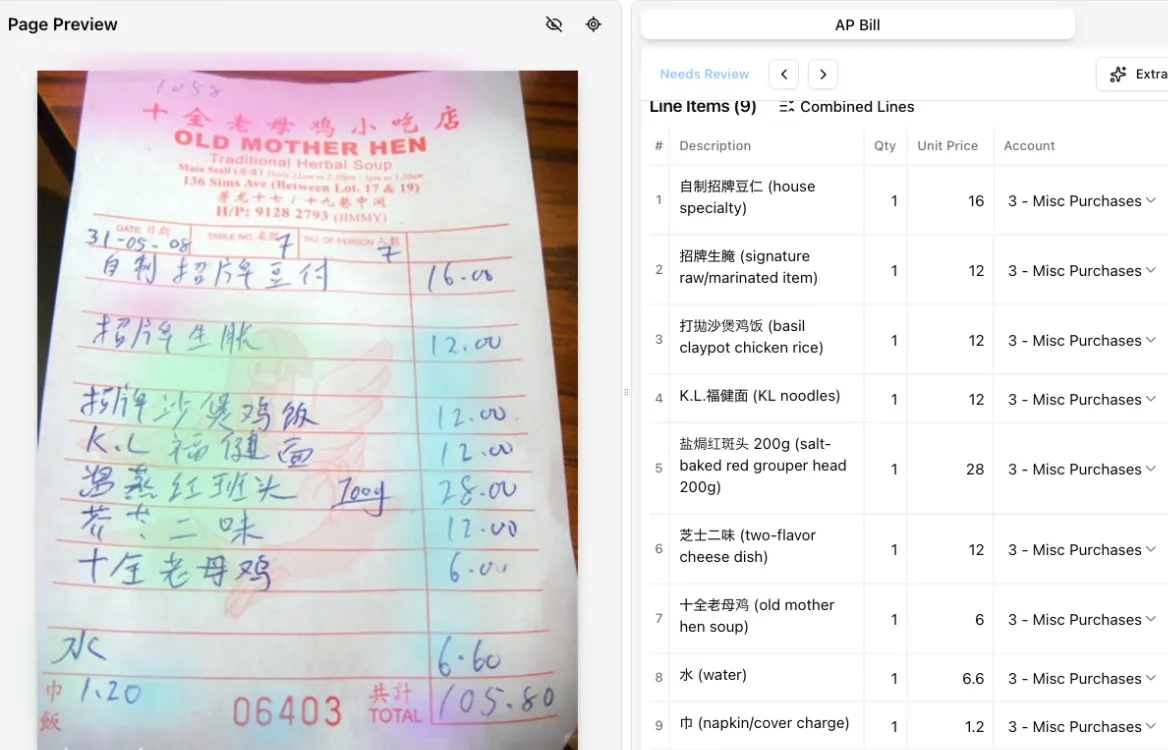
Line Item Extraction
Upload any invoice or receipt. Tofu extracts every line item with description, quantity, price, and account code.
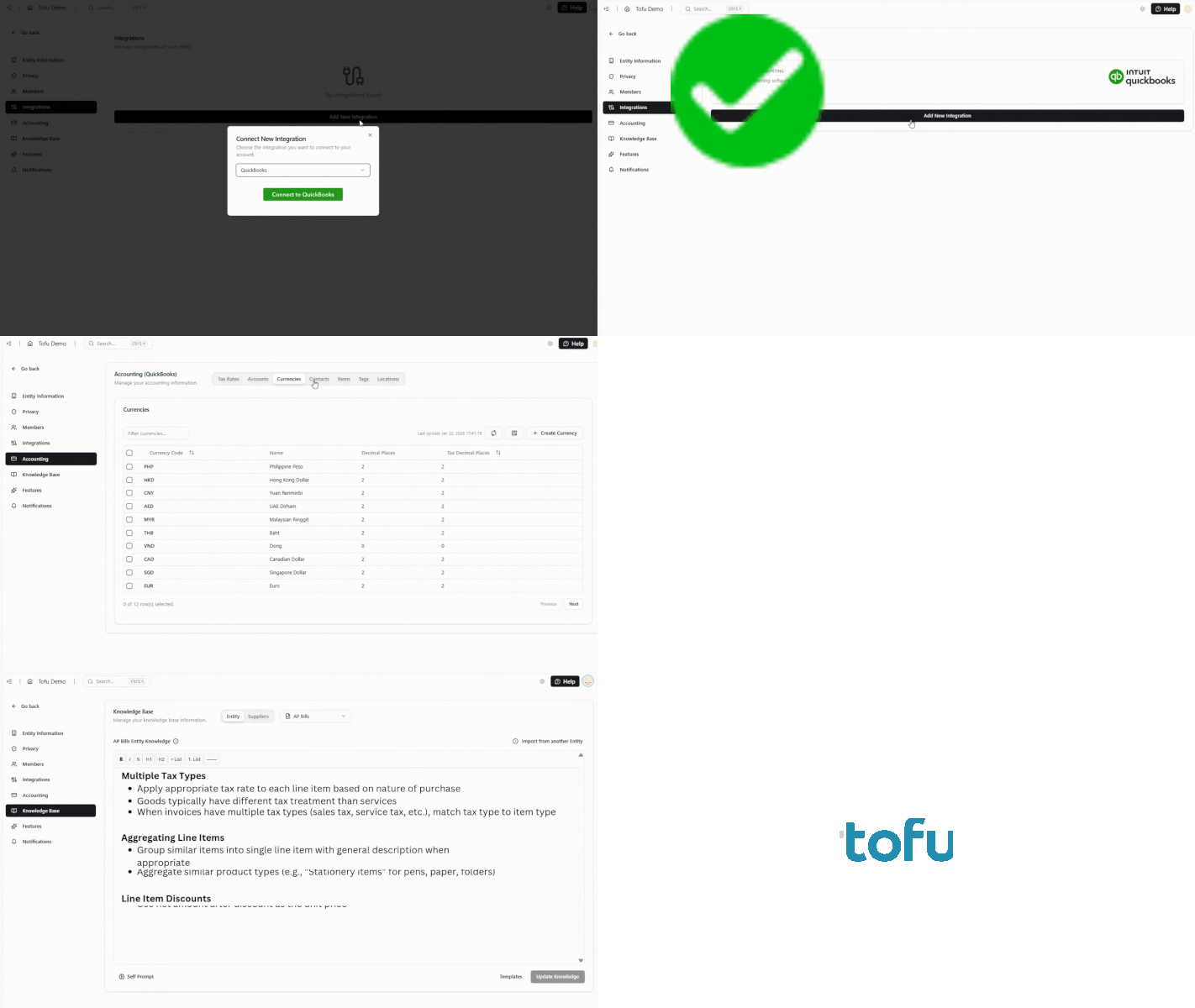
Self-learning AI
Connect your accounting software or upload your historical GL. Tofu reads your coding patterns and starts categorizing automatically.
And so much more...
Manual entry vs. legacy OCR vs. tofu
Handle more clients without adding headcount
Take on clients you used to reject
Wet market receipts, handwritten invoices, and multilingual docs are no longer blockers. tofu lets you say yes to more clients.
“Now we can onboard clients we would’ve rejected before.”
Month-end closes faster
No preprocessing or waiting for data entry. Documents extract cleanly and land in your accounting software ready for review.
"What used to take me 3-4 hours can be done in 30-60 minutes."
Junior staff do senior work
With extraction automated, juniors stop typing PDFs and start reviewing, validating, and catching exceptions instead.
“Our juniors now do real accounting work, not data entry.”
Onboard new clients in days, not weeks
Send the link, sync their inbox or storage, and documents start flowing. No training, templates, or manual setup.
“Our clients love how fast we get them set up now."
Your client data, secured and compliant

At tofu, we prioritise security and transparency in how our AI works with your data. Here are answers to common questions about how we protect your information.
1. Does tofu use customer information to train third-party Large Language Models (LLMs)?
No, the LLMs tofu uses do not train on customer data. For details on the LLMs we employ, please see our Sub-Processor Lists.
2. How does tofu ensure customer information and artifacts are not used for unauthorized training?
tofu securely segregates each customer’s data and knowledge in our database, ensuring that learning activities only use their historical data from connected accounting software, AI-generated artifacts, and user inputs. Customers must explicitly opt-in to share data for improving tofu’s AI system.